MarketingSuite
Leads flow in from Facebook and Instagram ads, your synced email and calendar, and embeddable forms on your own website — all landing in the pipeline with no manual entry. Reactivate a cold database with targeted email and SMS drip campaigns, let leads book appraisals straight into your calendar, and build branching workflows on a visual canvas — with wait steps, if/else conditions, and actions across email, SMS, tasks, and notifications — to handle the rest.
- Email and calendar sync automatically
- Every conversation logged against the contact record
- Appointments sync both ways
- No manual copy-paste between inbox and CRM
- Works with both Google and Outlook
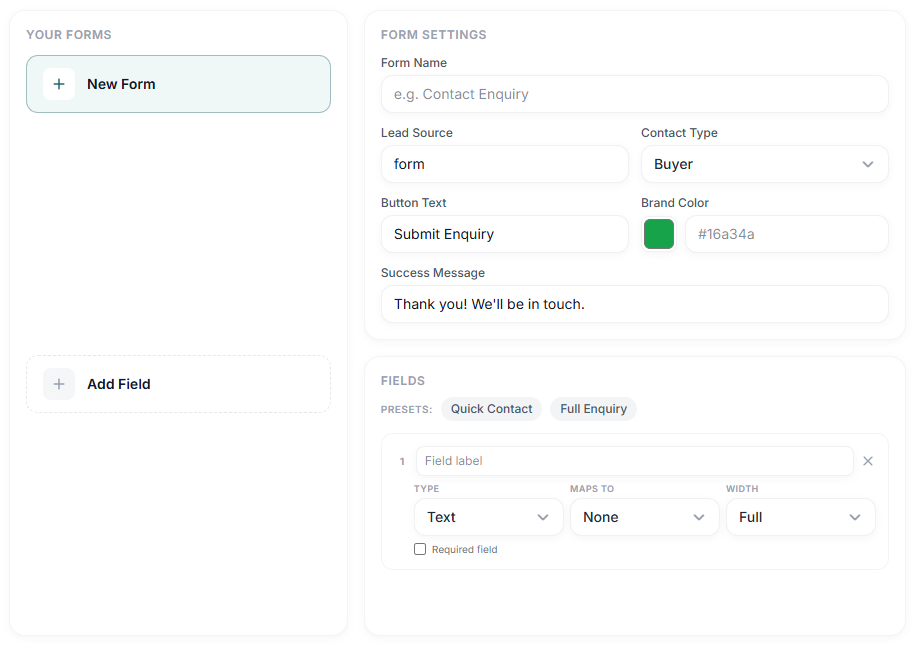
Capture leads without a developer.
Build a custom lead-capture form and generate an embed code you paste directly into your website or landing pages — enquiries flow straight into your pipeline the moment someone submits, no manual entry and no developer required.
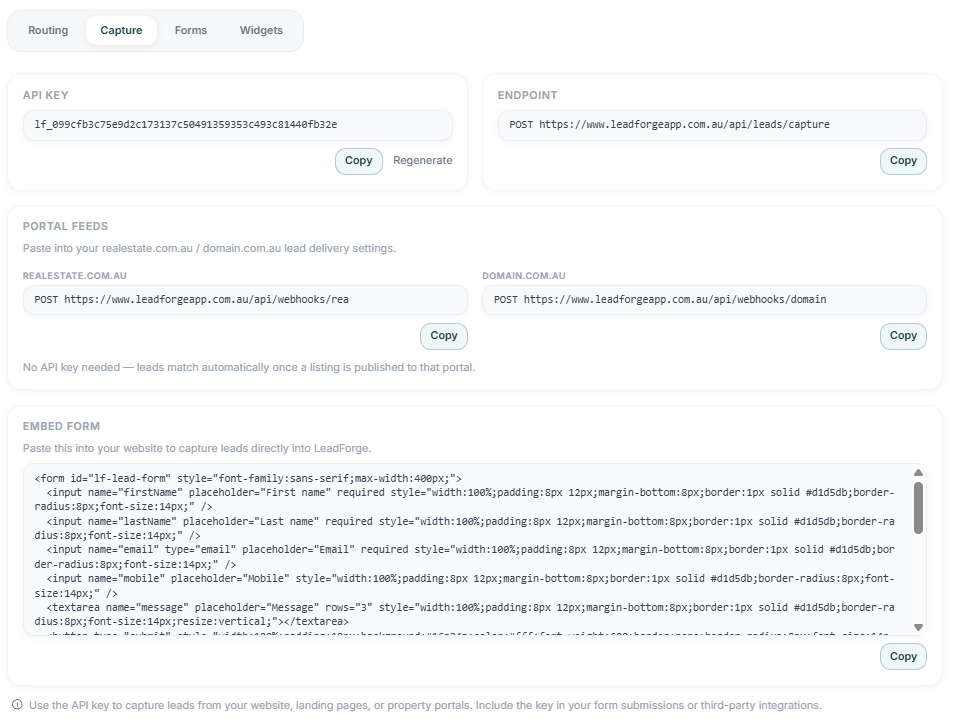
REST API + Webhooks
Portal feeds & embed code included
Leads flow in, you don't chase them.
Facebook, Instagram, email, and your own website all feed the same pipeline automatically.
- Facebook and Instagram lead ads captured in real time
- Google & Outlook sync logs every email and appointment
- Embeddable forms on your own website or landing pages
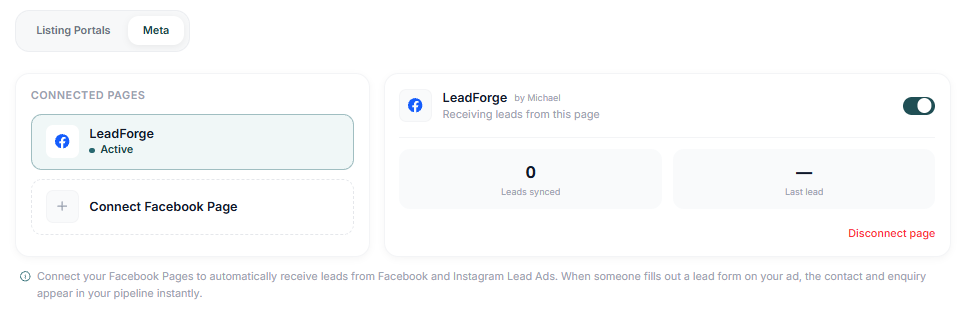
Page Connected
LeadForge · Active
Build the automation you actually need.
A visual, branching workflow builder — not a fixed list of presets. Drag on wait steps and if/else conditions, then fan out into email, SMS, tasks, and notifications however your process actually works.
- Branching canvas with wait steps and if/else conditions
- Actions across email, SMS, tasks, and notifications
- Start from a preset or build one from scratch
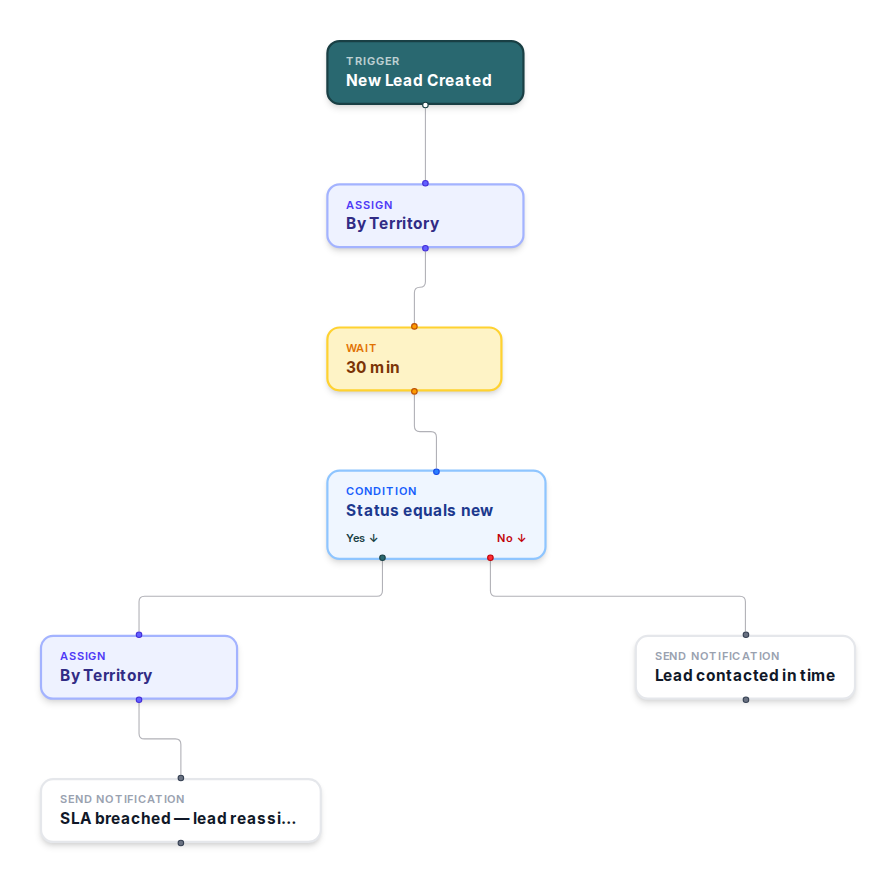
Branching canvas
Not a fixed list of rules
Keep the whole team coordinated.
Role-based permissions and team chat keep everyone working from the same information.
- Role-based permissions per team member
- Team chat in context, no separate app
- Custom fields for what your business actually tracks
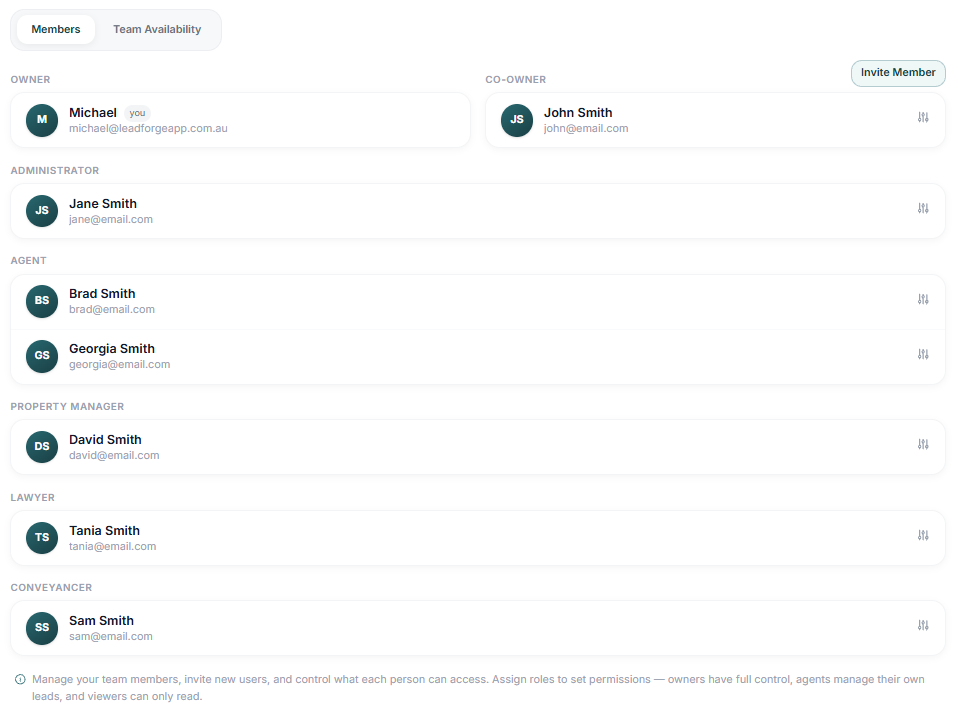
7 Role Types
Owner to Conveyancer
Ready to see
marketing suite
in action?
Book a personalised demo with our team, or start a free 14-day trial — no credit card required.
Already a customer? Contact support.
Frequently asked questions
Facebook and Instagram lead ads, synced email/calendar (Google & Outlook), and embeddable forms on your own website all flow straight into the pipeline.
No — the Embeddable Forms Builder generates an embed code you paste directly into your website, no developer required.
Yes, Role-Based Permissions control exactly what each team member — agent, property manager, conveyancer, or viewer — can see and do.
Yes, automated sequences run until a lead is ready to talk, then stop so a real conversation can take over.
No — it's a visual, branching canvas. Presets are there to start you off, but you can drag on your own wait steps and if/else conditions and combine email, SMS, tasks, and notifications however your process actually works.
Yes — leads book inspections and appraisals straight into your calendar, no back-and-forth required.
Yes, via the API and webhooks, or by pushing real-time updates to Slack for anything not natively integrated.